
Site & API Monitoring: 24/7 Testing & Alerts
Loadster monitors your site's key pages, endpoints, and critical flows from around the world, alerting you immediately if anything breaks. Test continuously with headless Chrome browsers or HTTP clients.
Loadster monitors your site's critical paths and key features. Bots execute scripted user journeys, relentlessly and carefully.
Loadster monitors are more than just simple uptime checks.
Beyond making sure your site stays alive, monitors can also execute full user journeys. Your monitoring scripts might do things like log in, navigate through pages, fill out forms, and verify that each step of the journey completes successfully.
You'll sleep easier with Loadster constantly testing your site's most critical paths — like signup, checkout, search, or whatever else keeps you up at night.
Monitoring scripts are easy to create. Record a script with the Loadster Recorder browser extension or write Playwright Test scripts if you prefer using JavaScript. Each script can be as simple as a single page or HTTP request or a long and complex user journey.
Monitor with real headless Chrome browsers or lightweight HTTP clients. Your choice of Playwright, Browser Bots, or Protocol Bots.

Playwright Bots
Run your Playwright Test scripts at scale through Loadster's cloud. Ideal for teams already using Playwright or who want programmatic control with an open source testing framework, combined with Loadster's cloud scaling and reporting.
 4X
4X

Browser Bots
Record scripts in your browser with Loadster's free extension and edit them visually. Add JavaScript if necessary. Browser Bots automate real headless Chrome browsers for realistic web application testing with a minimal learning curve.
4X

Protocol Bots
Protocol Bots execute scripted HTTP/S requests against your API or static website. Testing at the protocol layer is cost-effective and easily scales to hundreds of thousands of concurrent bots, and is ideal for testing HTTP APIs at scale.
1X
Everything you need to monitor and troubleshoot your site. Loadster keeps detailed logs, screenshots, and diagnostics from each monitoring cycle.
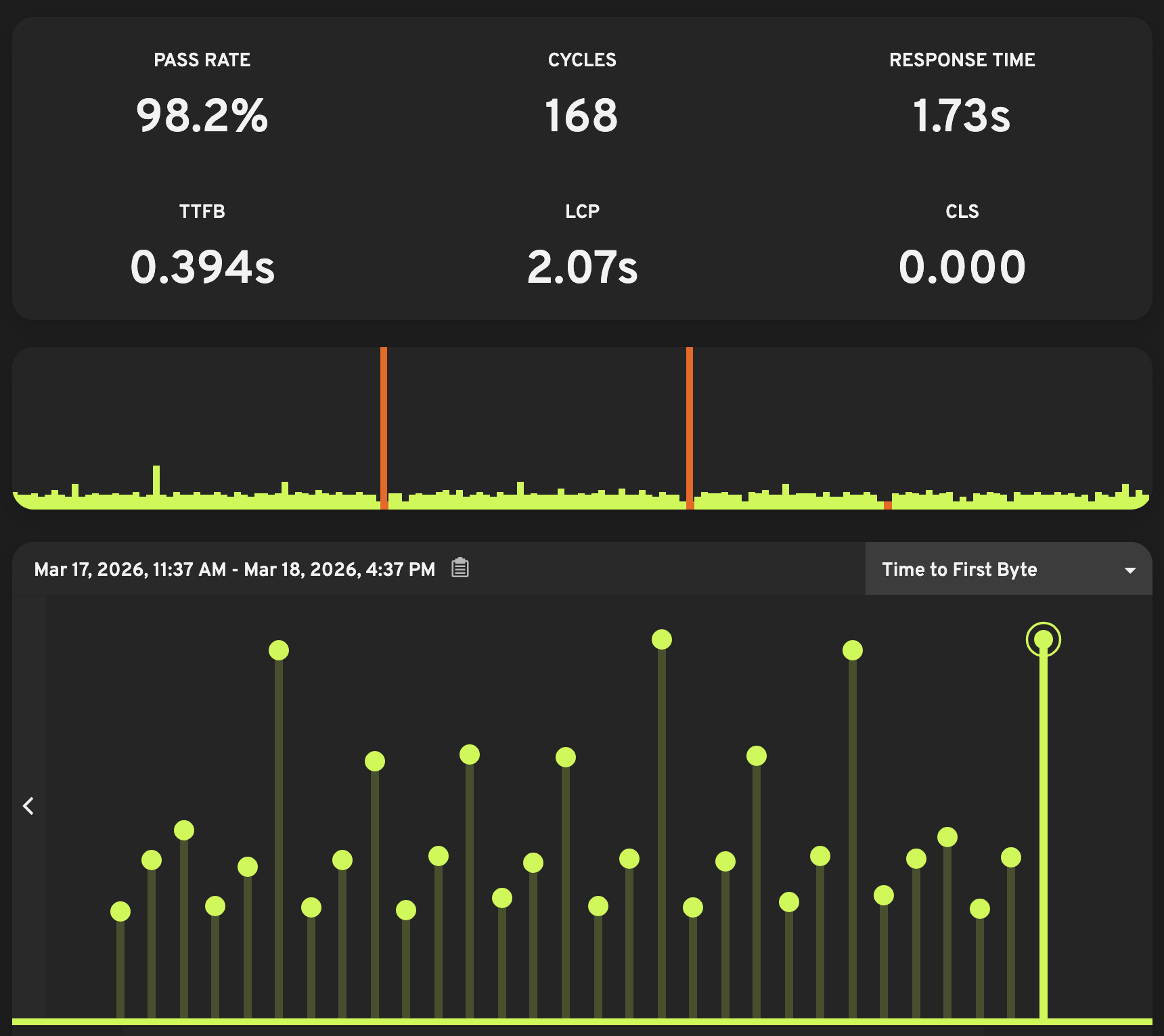
Track uptime, availability, and functionality
Monitors constantly check if your site is up and whether the scripts complete successfully. Loadster tracks the outcome of every cycle and calculates your uptime percentage. Keep tabs on your uptime, downtime, and failed cycles in your monitoring dashboard.
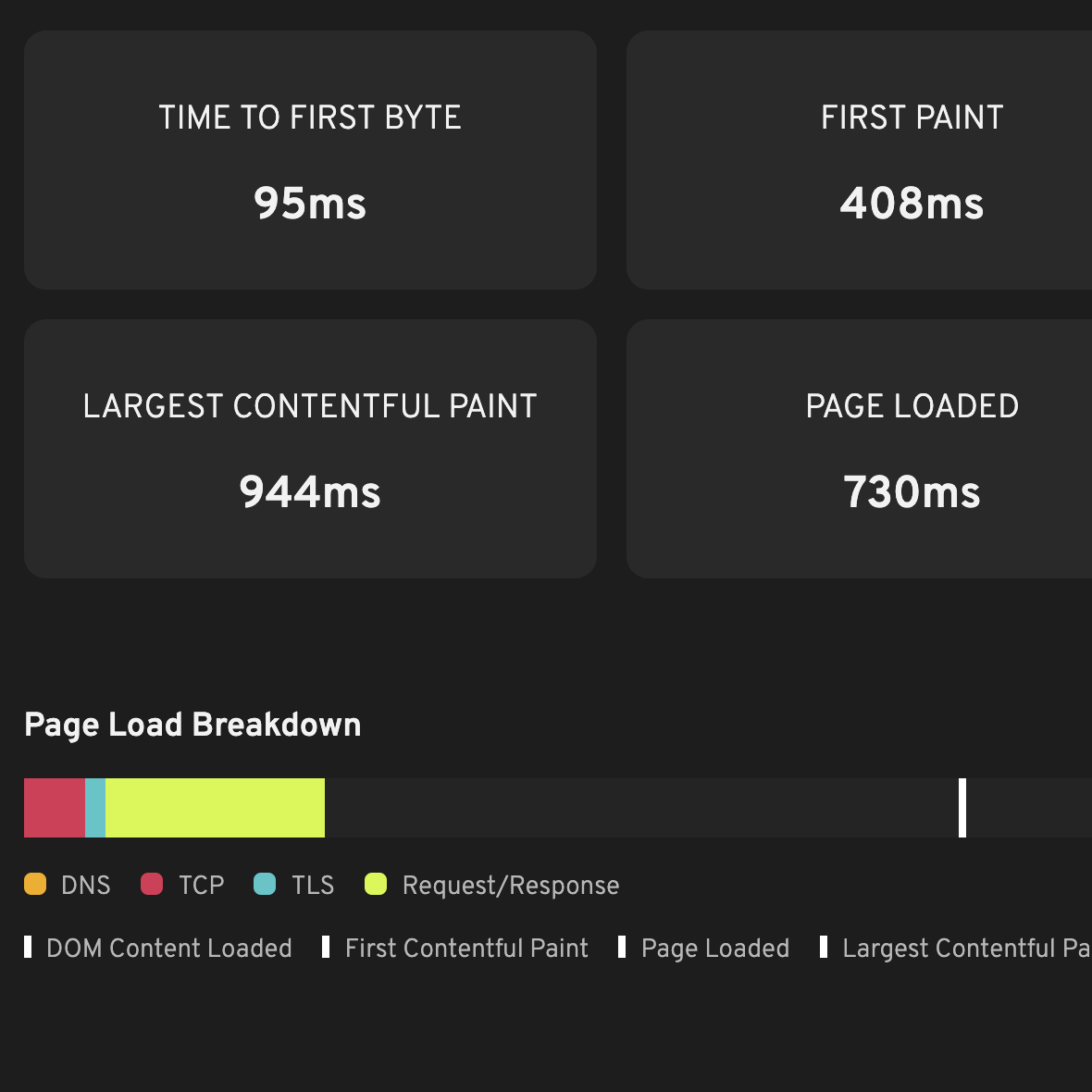
Analyze performance and page timings
Browser-based monitors capture real browser metrics including Time to First Byte (TTFB), First Contentful Paint (FCP), Largest Contentful Paint (LCP), and Cumulative Layout Shift (CLS). These Core Web Vitals affect your search rankings and user experience.
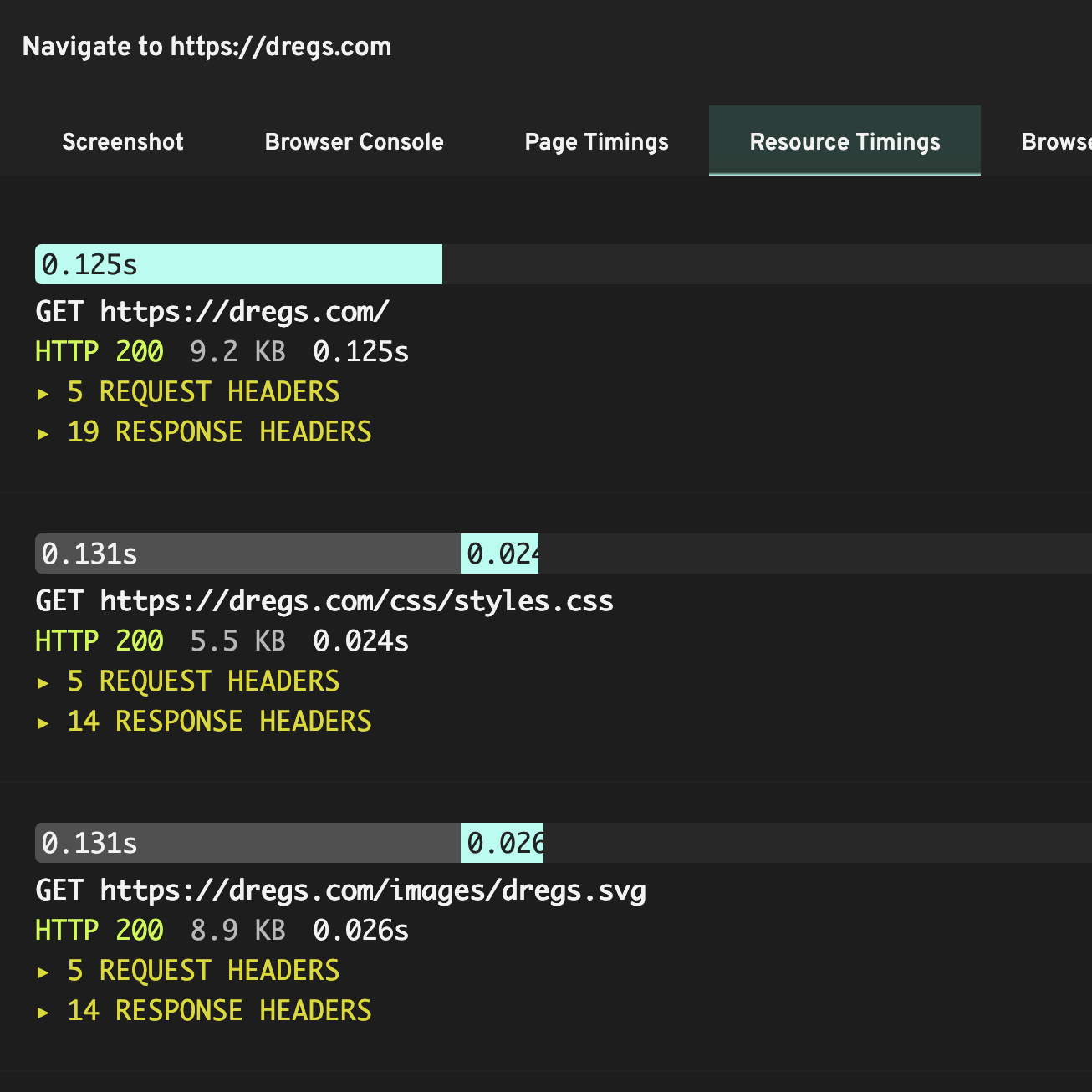
Capture detailed traces and diagnostics
Every monitor cycle stores full request/response details and, for browser-based monitors, screenshots showing exactly what the bot saw at each step. When a cycle fails, you can review the traced script results to pinpoint exactly what went wrong.
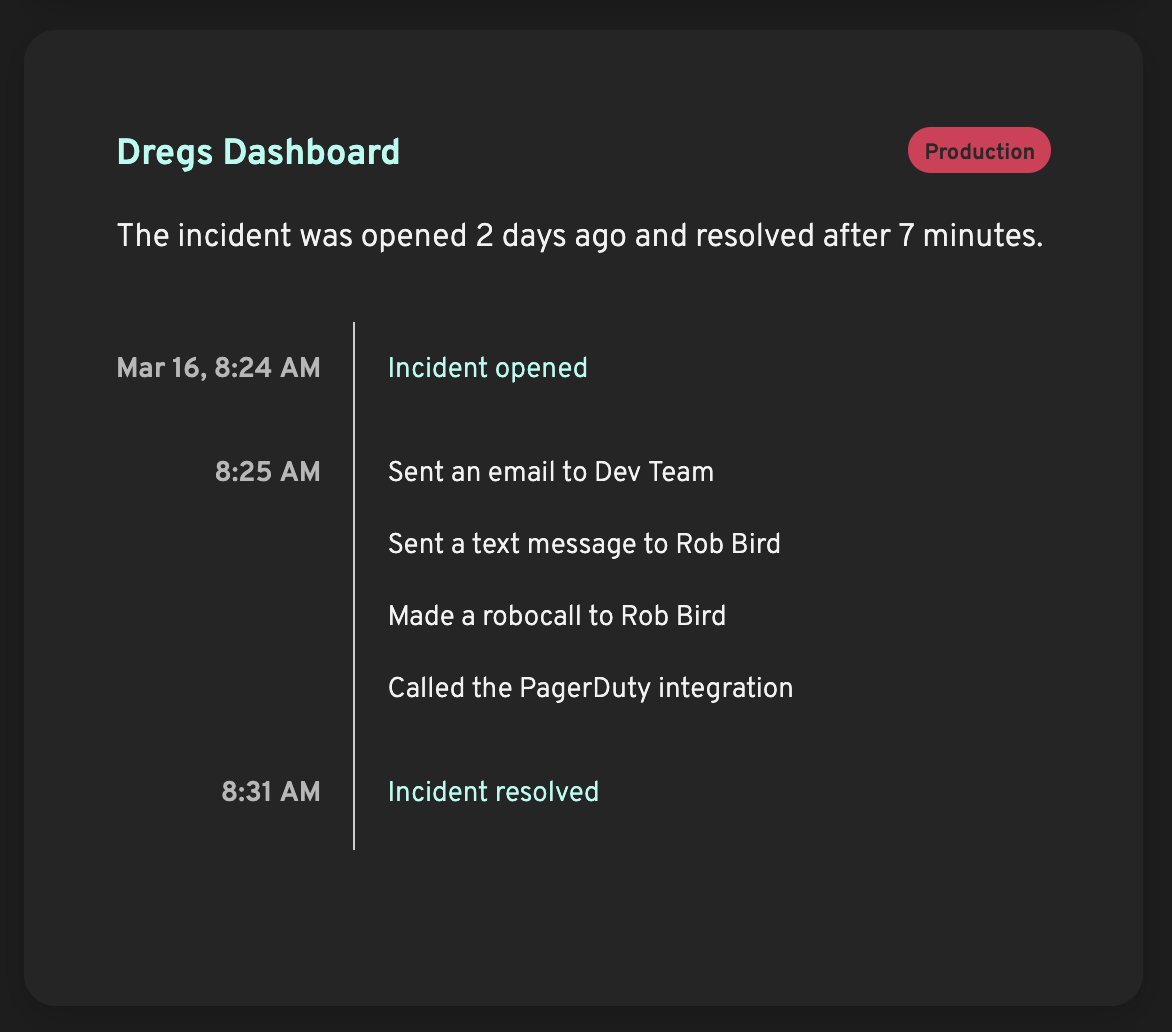
Escalate with incidents and alerts
When your monitors detect a problem, Loadster immediately creates an incident to track it until resolution. Loadster alerts you and your team according to your notification policies. Once the problem is resolved, the incident is automatically closed.
When monitors detect trouble, you'll know about it. Control who, when, and how to alert with custom notification policies.
When a monitor uncovers a problem with your site, Loadster notifies you through your specified channels. Each alert includes a direct link to the failed monitor cycle so you can immediately start debugging.
 Email
Email
 Text/SMS
 Phone Call
 Opsgenie
 PagerDuty
 VictorOps
 Webhooks
Set up your custom notification policies to control who on your team gets notified, by what channels, and how long after an incident is opened or resolved.
For example, you might email your team on the first failure, escalate to SMS after 5 minutes, and trigger a phone call after 15 if the incident is still open.
Monitor your site from around the world. Choose from 8 dedicated locations across 5 continents.
Loadster runs monitors from your choice of global locations spanning 5 continents.
Each monitor can run from multiple locations, so you can verify that your site stays fast and available for users around the world — and detect region-specific problems like DNS, routing, or CDN issues.
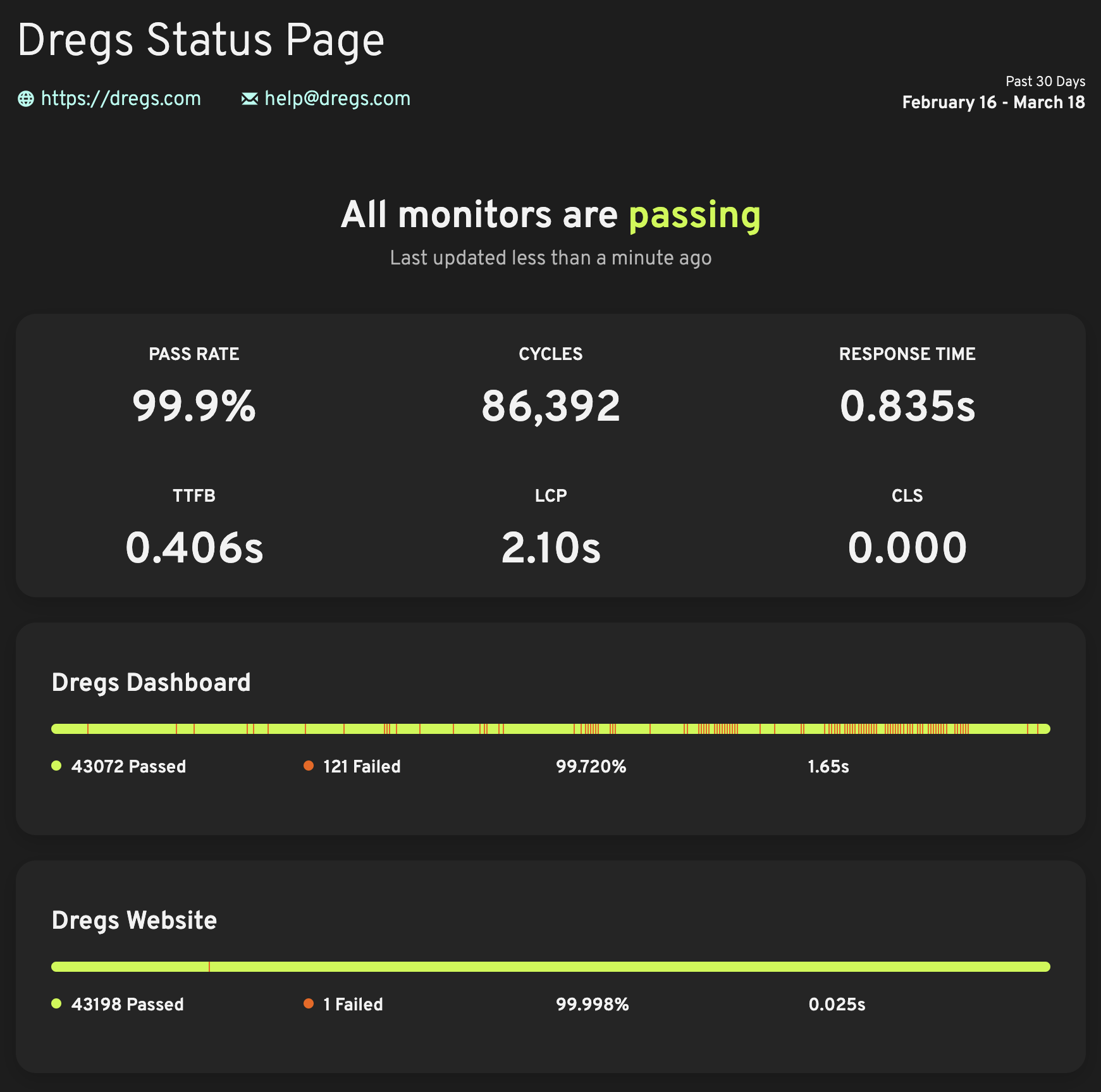
Hosted status pages are free. Share your uptime results privately or publicly.
If you want, you can share your site's uptime and performance monitoring data privately with your team or publicly with your customers.
Loadster's hosted status pages display real-time monitor status and uptime history for the monitors you designate. Communicate incidents transparently and build trust with your colleagues, stakeholders, and users.
You're in complete control of which monitors get shared, and you can create multiple status pages with your different sets of monitors on each. If you have control of your domain's DNS records you can even set up a custom domain for your status page to match your brand.
Start monitoring your site in just a few minutes. Create a script, enable the monitor, and sit back and relax.
Simple usage-based pricing. Loadster scales with your monitoring.
Take your pick between two pricing models, depending on how heavily you monitor your site.
Pay-As-You-Go Fuel
Starting at $97 for 1,000 units
Every monitor cycle burns a small amount of Loadster Fuel. Fuel usage depends on the script duration, cycle frequency, and bot type. Monitors typically use just a few units per day.
Fuel PricingMonitoring Plans
Starting at $29/month
Monitoring plans include thousands of fuel-free monitoring cycles each month, plus phone notifications (SMS and calls). Ideal if you run frequent monitors across multiple flows.
Plan PricingReuse your monitoring scripts. Load and stress test with thousands of bots using the same scripts.
In Loadster, the same scripts you use for monitoring can also power load tests with thousands of concurrent bots.
Instead of monitoring with one bot on a schedule, load tests run thousands of bots at once to simulate heavy traffic and find your site's breaking point.
Load testing gives you a chance to prepare your site for heavy traffic. Fix scalability bottlenecks before they cause real-world outages.
Loadster has improved the performance, scalability, and uptime of thousands of sites. We're proud to be of service to the best teams.


Keep calm
Monitor your site
Ready to reduce your site's risk of downtime?
Start free with 50 units of Loadster Fuel.